Home / Blogs / Toolpath Optimization Techniques for Faster CNC Cycle Times

Toolpath Optimization Techniques for Faster CNC Cycle Times

In today’s highly competitive manufacturing environment, every manufacturing business needs to focus on improving CNC cycle times. CNC cycle times are now a critical differentiating factor between a highly profitable business and a barely profitable one. So, it is very important for different manufacturing shops to know different techniques to improve their CNC cycle times so that they can compete with bigger shops. One important practice that manufacturing shops need to start following is optimizing their CNC toolpaths. So, if you want to know how to do proper CNC toolpath optimization for improving machining cycle times. 

What are the Major Toolpath Optimization Methods for Faster Machining Cycle Speed?

1. Minimize Air Cutting Movements:

Air cutting is the phenomenon of any motion where the tool is not engaged with the material. These unnecessary movements eat into your original machining time affecting your CNC machining efficiency. Reducing these movements can help in shortening the cycle time without changing the cutting parameters. 

  • Reduce long, rapid moves between features
  • Optimize retract heights so the tool lifts only as much as needed
  • Use efficient linking moves instead of full retracts

Even a small reduction of non-cutting movements can add-up to a significant number for high volume machining works. 

2. Embrace High Efficiency Milling (HEM):

High efficiency milling is also known as trochoidal milling. This still of milling fundamentally changes how a tool engages with raw material. It focuses on maintaining consistent tool engagement. Instead of heavy cuts with variable loads, it uses:

  • Higher axial depth
  • Constant chip thickness
  • Low radial engagement

This CNC toolpath optimization method helps with smoother motions and the reduction of abrupt tool load changes, which can affect the cycle time consistency.

3. Keep the Tool Down:

In traditional roughing works, a lot of rapid retracts are featured. In this process, the tool takes a pass across the part, pulls all the way up to a high clearance plane, rapids back to the start, and then plunges back down for the next pass. 

  • This constant up and down motion wastes a good amount of time
  • You can optimize this by telling your CAM software to keep the tool down

By keeping the tool closer to the work surface, you get to maintain the machining cycle’s momentum and eliminate non-value-added machine movements, helping to achieve faster CNC cycle times.

4. Utilize Dynamic Feed Rate Optimization:

Not all parts of a toolpath are created equal. When a tool drives straight down a linear path, it can handle a high feed rate. But when it takes a dive into an inside corner, the radial engagement suddenly spikes, increasing the load on the tool. 

  • If your feed rate is static, you have to program the entire toolpath based on the slowest and most demanding section to prevent tool breakage
  • Dynamic feed rate optimization automatically adjusts the feed rate based on the volume of the material 

5. Optimize Lead-in and Lead-out Movements:

Both the tool life and the cycle time of machining are affected due to the entry and exit strategies. Efficient toolpaths use:

  • Short and smooth lead-ins
  • Minimal repositioning before engagement
  • Controlled exit paths to reduce dwell time

So, optimizing the lead-in and lead-out movements is a great CNC tool optimization method. 

6. Use Constant Velocity Settings:

Several CNC control systems support constant velocity modes. So different manufacturers can use those settings, which will help the machine to:

  • Maintain momentum through corners
  • Reduced cycle time caused by frequent stops
  • Blend movements instead of stopping at every point

However, this should be balanced with the accuracy requirements for proper CNC machining efficiency.

7. Verify with Digital Twin Simulation:

Last but not least, use digital twin simulation to verify the toolpath. This last method is not for the shop floors but for your computer screen. Before you send a single line of code to the machine, run a comprehensive simulation using your CAM software’s digital twin capabilities. This simulation will help you with:

  • Identify unnecessary retracts
  • Analyse cycle time estimates
  • Detect excessive air cutting

This is an essential step for refining the toolpaths before production starts. If there are any issues detected, then CNC programming optimization can help one out with better toolpath generation. 

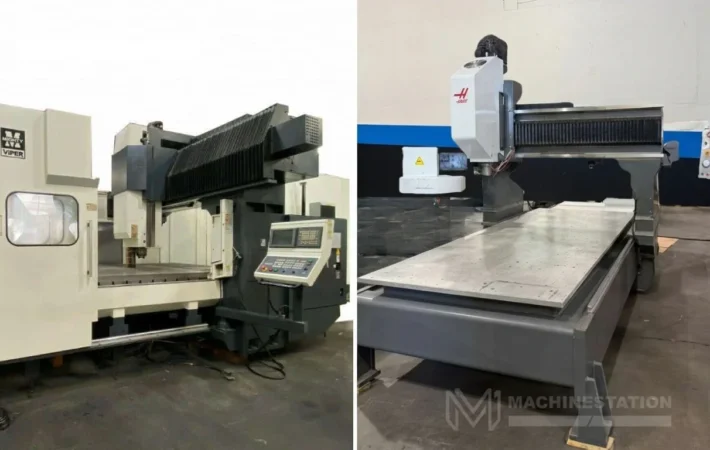
Now, if you are looking to buy a used CNC machine, then check the collection of MachineStation.

Conclusion: 

Toolpath optimization is an essential task for doing fast CNC machining work. Toolpath can easily be optimized by following some easy steps, and that will help you improve the overall cycle times of your machining shop. 

FAQs:

1. How does the toolpath strategy affect cycle time?

The toolpath strategy determines how the tool engages with the material and moves between cuts. Efficient strategies reduce idle movements and maintain steady cutting, which shortens overall cycle time.

Adaptive clearing is a CAM strategy that maintains consistent tool engagement by adjusting the toolpath dynamically based on remaining material.

Constant velocity mode allows the machine to maintain motion through corners without stopping completely, reducing delays caused by frequent deceleration.

Search for products

Select Language
Product has been added to your cart